Reversely.ai is getting quite popular among netizens. Many use it to trace the origins of photos, detect AI-generated images, and search for people by their faces. Many use it to find product matches, identify locations, verify image provenance, and accelerate research. Reversely speeds up reverse image searches with extreme precision.
This guide explains why Reversely.ai earns a spot in every content creator and marketer’s toolkit and what you can do to get reliable and fast results.
Reasons To Use Reversely.ai
Reversely.ai delivers targeted visual search results that outperform general image search engines like Tineye, Labnol, and others. Here is what makes it stand out.
AI-Powered Matching Engine
The platform uses machine learning models that compare visual features to find near-identical items, alternative photos, and visually similar products, even when metadata is missing.
Faster Processing
You can upload a single image or hundreds of images. The system is advanced enough to process thumbnails and full-resolution files quickly.
Accurate Results
Reversely.ai delivers highly accurate results by intelligently analyzing shape, texture, and color patterns in the photo. Unlike broad web searches, it minimizes false positives and delivers more relevant matches.
Provenance & Context
Beyond finding matches, Reversely helps identify where an image first appeared and which pages host modified or duplicate versions. That context strengthens copyright checks and fact verification.
User-Friendly
Reversely.ai is one of the easiest reverse image search platforms out there. Anyone can use it with ease, even without prior experience with similar tools. Simply follow a few straightforward steps, and all the relevant details will be displayed clearly on your screen.
How to Use Reversely.ai?
Here is the step-by-step guide to using Reversely and getting useful image search results.
Prepare Clean Source Images
Start with the best-quality photo you have. Crop out irrelevant borders and remove heavy watermarks if you hold the rights. Clean images improve matching and reduce junk matches.
Open Reversely.ai
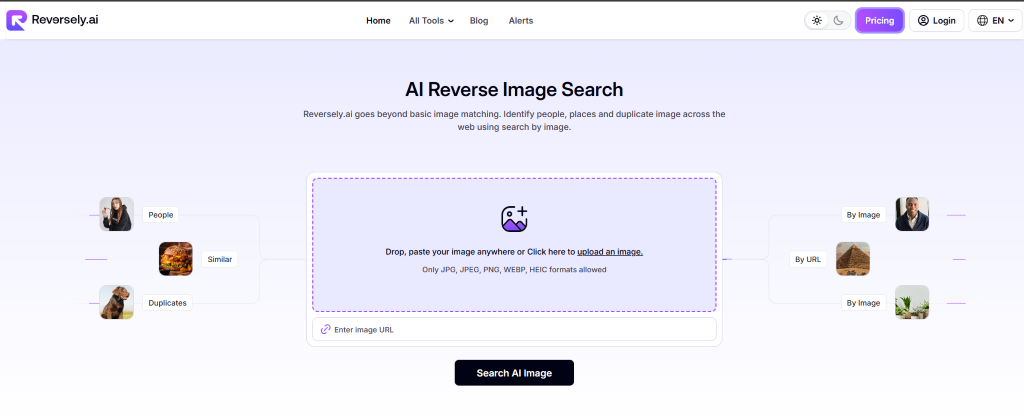
Once you have the image ready, just search for Reversely.ai on Google or directly visit its official website link: https://www.reversely.ai/
Upload the Photo
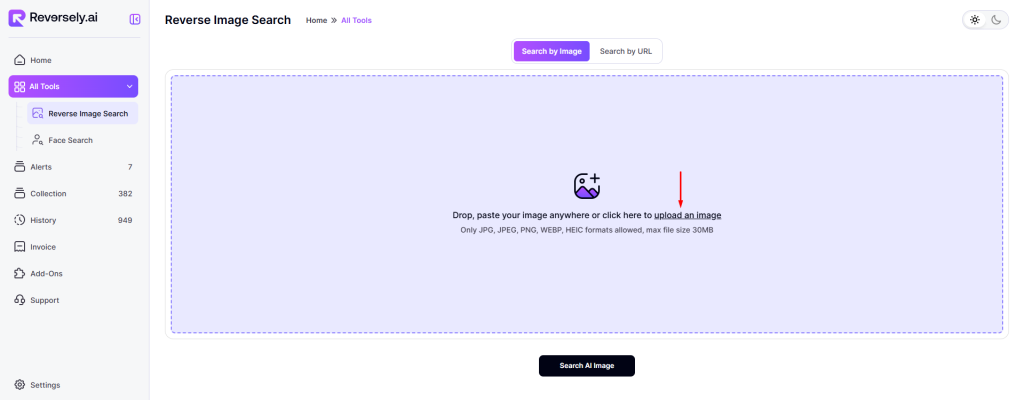
This step is quite simple; just click on the “Upload an Image” button to submit the photo you want to find similar matches for. Once the image is uploaded, the search process begins automatically, and the results will appear on your screen within seconds.
Use Focused Cropping
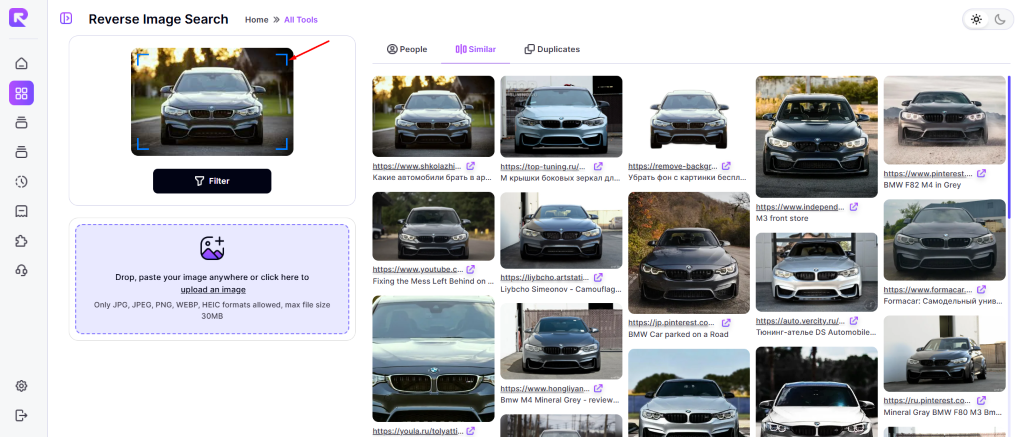
Crop closely around the object you want to analyze. For clothing, focus on the fabric details and trim; for buildings, highlight distinctive architectural features. This helps the system compare the most relevant visual features and deliver more accurate results.
Review Results
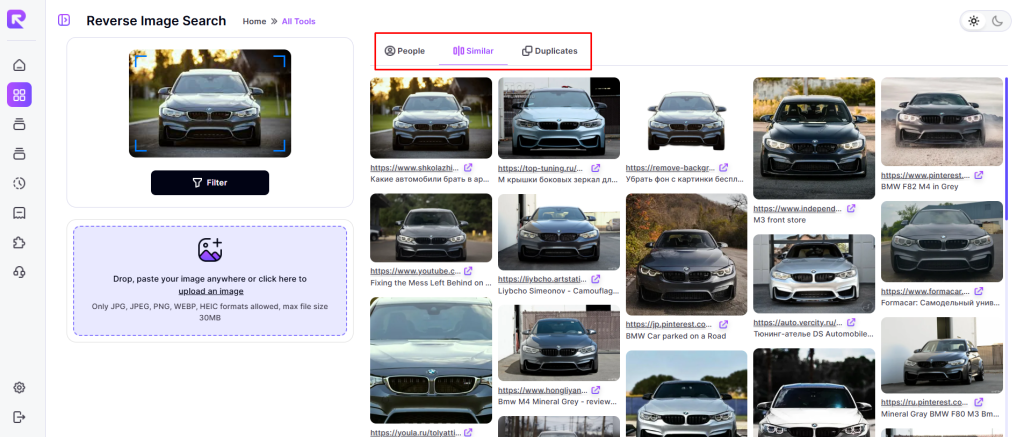
Look for similar results in the dedicated tabs: people, similar, or duplicates to find the most relevant images quickly.
Who Can Benefit From Reversely.ai
Reversely.ai serves a wide range of professionals who rely on image search and facial matching technology. Below are four key user groups that gain value from this platform.
E-Commerce Sellers & Marketplaces
Online sellers use Reversely to spot counterfeit listings, locate better product images, and match SKUs. It significantly reduces the time required to verify supplier photos and find exact-matching listings across marketplaces. That reduces listing errors and protects overall brand integrity.
Content Creators & Journalists
Creators use the tool to verify images before publishing. They can identify earlier versions, alternate crops, and original sources. For journalists, this provenance check helps prevent misattribution and strengthens overall reporting accuracy.
Legal Teams & Rights Managers
Legal teams rely on visual search to detect copyright and trademark infringements. Reversely provides a fast way to gather evidence of unauthorized image use across multiple domains. Legal staff save hours by pulling direct links and timestamps that support takedown requests.
Product Designers & Sourcing Agents
Designers use the tool to check for similar designs to avoid accidental duplication and uncover new supply options. Sourcing agents find manufacturers who produce visually identical items. This accelerates sourcing cycles and minimizes back-and-forth with vendors.
Conclusion:
Reversely.ai delivers value by saving time and enabling folks to make smarter decisions. Use clear, high-quality images, choose the appropriate search mode, and always verify context before taking action. For sellers, creators, legal teams, and designers, it reduces guesswork and highlights the most relevant evidence.
Follow these steps consistently, and you’ll achieve faster, more accurate image matches with fewer dead ends. Crop precisely, filter efficiently, and confirm sources. With regular use, Reversely.ai becomes an essential tool in your visual workflow.